Sound and Music
Let's add a background music to our Play scene.
To play a sound, we'll use either the Play Music or Play Sound actions. Use Play Music if it is a long file such as a background music, and Play Sound if it is a short one like for a gunshot sound.
Add a new event. Add the condition At the beginning of the scene. Add the condition Play the sound, select a music that you like, and set Repeat to Yes.
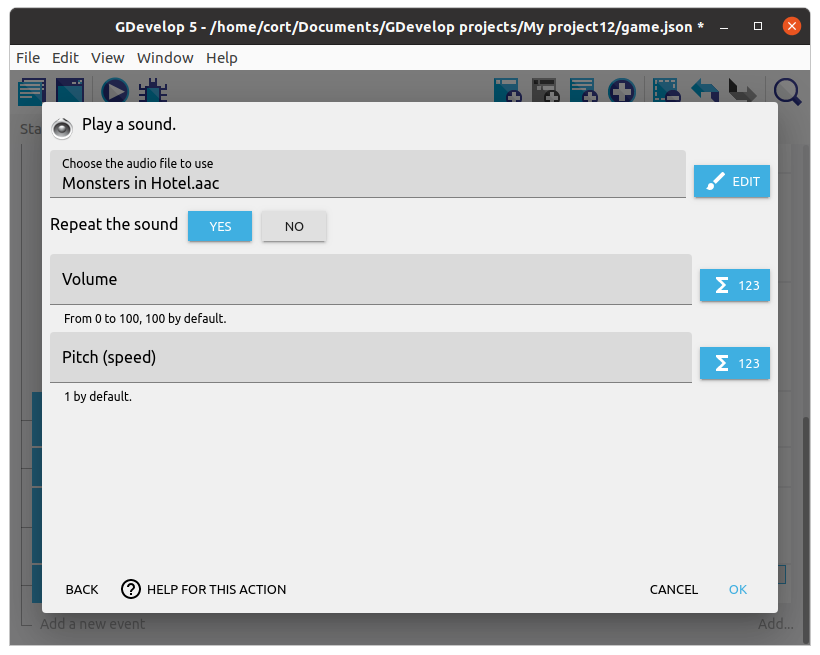
Your event should look like this...

If you like, you can add a background music for the End scene in the same way. Note that if you add a background music for the Start scene, it will NOT play when you start the game in a browser, as the browser will not allow a webpage to play audio before the user interacts with it.
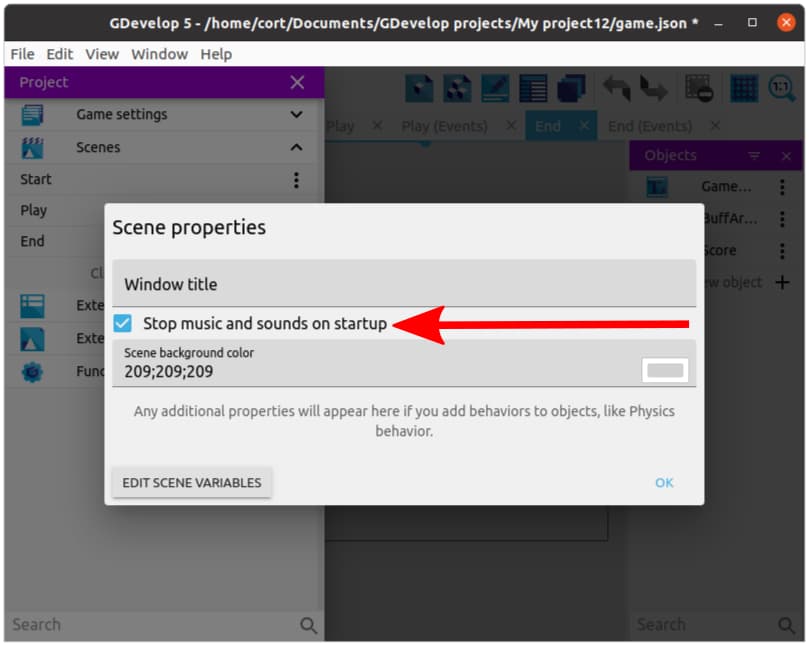
INFO: When game over occurs, the music will automatically stop. That's because by default, GDevelop stops all music and sounds when starting a new scene.
If you want the music to continue playing, open the Project manager, click on the 3 dots (...that's called a kebab menu) next to the End scene, select Edit scene properties, and turn off Stop music and sounds on startup.